Java Threads in the Real World: Sending Bulk Emails Without Waiting Forever
A practical walkthrough of a pattern hiding in many enterprise codebases: a Spring Boot scheduler, a database table, and a pool of threads.
How this started
A few days ago I was reading through some code at the office and found something that looked ordinary but taught me a lot. The system sends bulk emails. Hundreds or thousands of emails are generated by the system itself or by call center agents, and every one of them is dropped into a database table with the status PENDING. A Spring @Scheduled job wakes up every minute, picks up the pending rows, and hands them to a pool of Java threads that send them in parallel through the configured mail server.
No fancy framework. No broker. Just a table, a scheduler and threads. It is a great example of practical concurrency, so let's break it down, see why threads matter here, and then look at the alternatives (especially in the Node.js world) and their trade-offs.
Disclaimer: This article was inspired by a common architectural pattern I came across in my work, but it is a general discussion. All code samples are original, written for illustration purposes only, and do not contain or reflect any proprietary code, data, or internal details of my employer. Opinions are my own.
1. Why not send emails one by one?
Sending an email is I/O-bound. Your Java code does almost nothing; it opens a connection to an SMTP server, negotiates TLS, authenticates, transmits the message and waits for the server to say 250 OK. Most of the time the CPU is idle, just waiting on the network.
Let's do the math with a conservative 1.5 seconds per email (connect + auth + send):
| Emails in the queue | Sequential (1 thread) | 10 threads | 20 threads | 50 threads |
|---|---|---|---|---|
| 100 | 2.5 min | 15 sec | 7.5 sec | 3 sec |
| 1,000 | 25 min | 2.5 min | 75 sec | 30 sec |
| 5,000 | ~2 h 5 min | 12.5 min | 6.25 min | 2.5 min |
| 20,000 | ~8 h 20 min | 50 min | 25 min | 10 min |
Now remember the scheduler fires every minute. If a sequential run takes 2 hours, then:
- New emails keep arriving while the old batch is still running.
- The backlog grows faster than it drains.
- A password-reset or an urgent call-center follow-up may be delivered hours late.
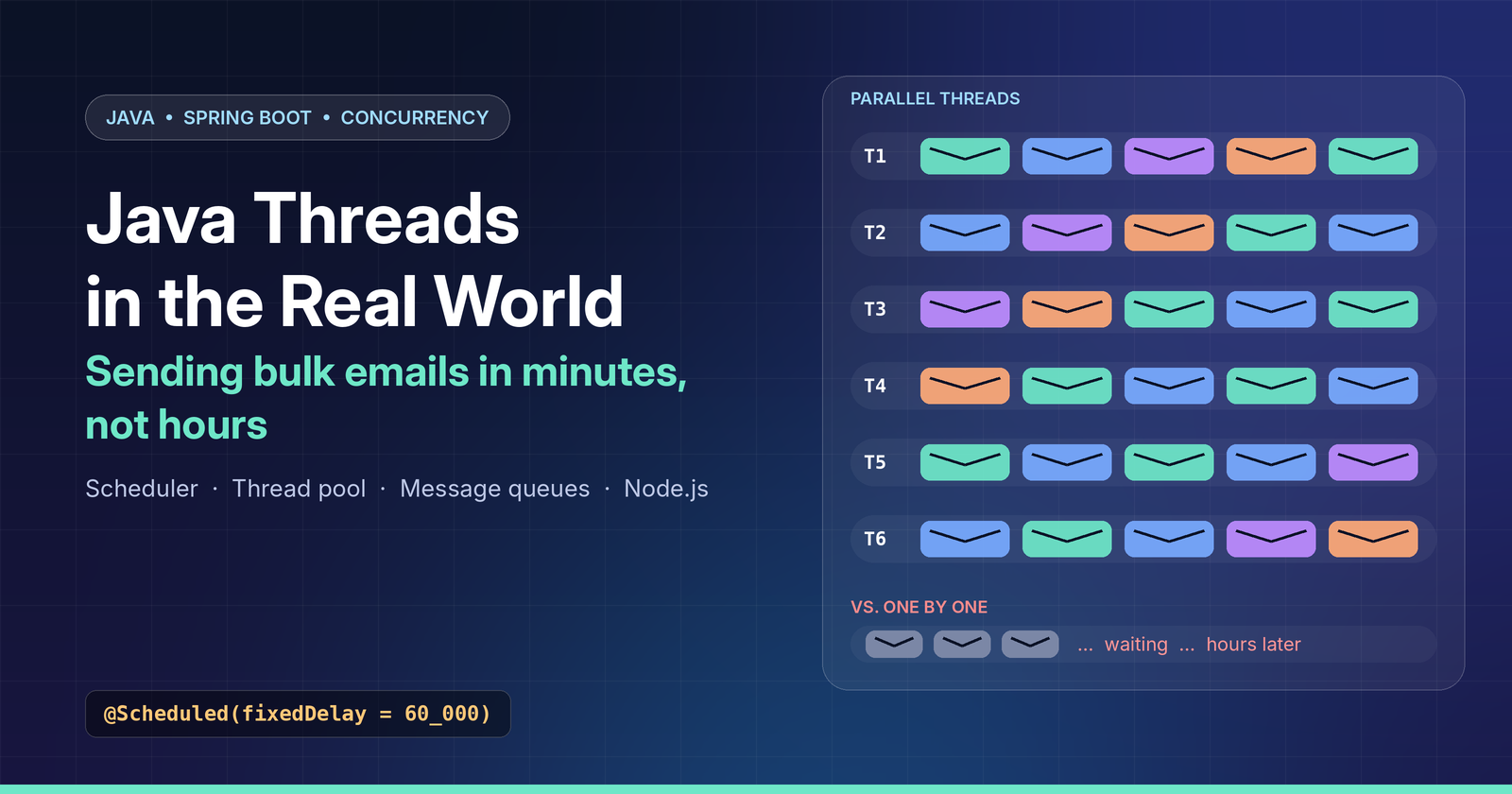
Threads turn "wait for each one" into "wait for many at the same time":
SEQUENTIAL (1 thread)
T1: [mail1][mail2][mail3][mail4][mail5][mail6] ......... total = 6 x t

PARALLEL (3 threads)
T1: [mail1][mail4]
T2: [mail2][mail5]     ........ total = 2 x t
T3: [mail3][mail6]
Because the work is mostly waiting, adding threads gives a near-linear speed-up, until you hit the mail server's limits (more on that later).
2. The architecture
+-----------------+      +----------------------+      +--------------------+
| System events / | ---> |  email_outbox table  | <--- | @Scheduled poller  |
| Call-center UI  |      |  status = PENDING    |      |  (every 60 sec)    |
+-----------------+      +----------------------+      +---------+----------+
                                                                 |
                                                  claim a batch  |
                                                                 v
                                                    +------------------------+
                                                    |  ThreadPoolExecutor    |
                                                    |  [T1][T2][T3]...[T20]  |
                                                    +-----------+------------+
                                                                |
                                                                v
                                                       +----------------+
                                                       |  SMTP server   |
                                                       +----------------+
                                                                |
                                       update row: SENT or FAILED (+ retry count)
This is a lightweight version of the well-known Transactional Outbox pattern: the database is the queue, and the scheduler is the consumer.
3. Implementation with Spring Boot
3.1 The outbox entity
@Entity
@Table(name = "email_outbox")
public class EmailOutbox {

    @Id
    @GeneratedValue(strategy = GenerationType.IDENTITY)
    private Long id;

    private String toAddress;
    private String subject;

    @Column(columnDefinition = "TEXT")
    private String body;

    @Enumerated(EnumType.STRING)
    private EmailStatus status = EmailStatus.PENDING;

    private int retryCount = 0;
    private String lastError;
    private Instant createdAt = Instant.now();
    private Instant sentAt;

    // getters and setters omitted
}

public enum EmailStatus { PENDING, PROCESSING, SENT, FAILED }
3.2 A thread pool you control
Don't create new Thread() by hand and don't use an unbounded pool. Define a bounded ThreadPoolTaskExecutor, so you decide exactly how much parallelism hits your mail server:
@Configuration
@EnableScheduling
public class MailExecutorConfig {

    @Bean(name = "mailExecutor")
    public ThreadPoolTaskExecutor mailExecutor() {
        ThreadPoolTaskExecutor ex = new ThreadPoolTaskExecutor();
        ex.setCorePoolSize(10);
        ex.setMaxPoolSize(20);
        ex.setQueueCapacity(500);               // bounded queue = back-pressure
        ex.setThreadNamePrefix("mail-sender-");
        ex.setRejectedExecutionHandler(new ThreadPoolExecutor.CallerRunsPolicy());
        ex.setWaitForTasksToCompleteOnShutdown(true);   // graceful shutdown
        ex.setAwaitTerminationSeconds(60);
        return ex;
    }
}
Two details worth noticing:
- The bounded queue plus
CallerRunsPolicygives natural back-pressure. If the pool is saturated, the scheduler thread slows down instead of the JVM running out of memory. - Graceful shutdown means a deployment will not kill emails halfway through.
3.3 Claim rows safely (so two instances never send the same email)
This is the part many implementations get wrong. If you run two application instances, both schedulers will read the same PENDING rows and your customers receive duplicates. Claim the rows with a row-level lock:
public interface EmailOutboxRepository extends JpaRepository<EmailOutbox, Long> {

    // PostgreSQL / MySQL 8+: other instances skip rows that are already locked
    @Query(value = """
        SELECT * FROM email_outbox
        WHERE status = 'PENDING' AND retry_count < 3
        ORDER BY created_at
        LIMIT :limit
        FOR UPDATE SKIP LOCKED
        """, nativeQuery = true)
    List<EmailOutbox> lockPendingBatch(@Param("limit") int limit);
}
@Service
@RequiredArgsConstructor
public class EmailClaimService {

    private final EmailOutboxRepository repo;

    @Transactional
    public List<EmailOutbox> claimBatch(int size) {
        List<EmailOutbox> batch = repo.lockPendingBatch(size);
        batch.forEach(e -> e.setStatus(EmailStatus.PROCESSING));
        return repo.saveAll(batch);   // committed when the method returns
    }
}
The transaction is short: lock, flip to PROCESSING, commit. The slow SMTP work happens outside the transaction, so we never hold database locks while waiting on the network.
3.4 The scheduler
@Component
@RequiredArgsConstructor
@Slf4j
public class EmailDispatchJob {

    private final EmailClaimService claimService;
    private final EmailSender emailSender;
    private final ThreadPoolTaskExecutor mailExecutor;

    @Scheduled(fixedDelay = 60_000)   // wait 60s AFTER the previous run finishes
    public void dispatch() {
        List<EmailOutbox> batch = claimService.claimBatch(500);
        if (batch.isEmpty()) return;

        log.info("Dispatching {} emails", batch.size());

        List<CompletableFuture<Void>> futures = batch.stream()
            .map(mail -> CompletableFuture.runAsync(
                    () -> emailSender.sendAndRecord(mail), mailExecutor))
            .toList();

        // wait for the batch so runs never overlap
        CompletableFuture.allOf(futures.toArray(new CompletableFuture[0])).join();
    }
}
Note fixedDelay instead of fixedRate. With fixedRate = 60000, a slow batch could cause overlapping runs. fixedDelay guarantees the next run starts one minute after the previous one finished.
3.5 The worker that sends one email
@Service
@RequiredArgsConstructor
@Slf4j
public class EmailSender {

    private final JavaMailSender mailSender;
    private final EmailOutboxRepository repo;

    public void sendAndRecord(EmailOutbox mail) {
        try {
            MimeMessage msg = mailSender.createMimeMessage();
            MimeMessageHelper helper = new MimeMessageHelper(msg, true, "UTF-8");
            helper.setTo(mail.getToAddress());
            helper.setSubject(mail.getSubject());
            helper.setText(mail.getBody(), true);

            mailSender.send(msg);              // the slow, blocking part

            mail.setStatus(EmailStatus.SENT);
            mail.setSentAt(Instant.now());
        } catch (Exception ex) {
            log.warn("Failed to send email {}: {}", mail.getId(), ex.getMessage());
            mail.setRetryCount(mail.getRetryCount() + 1);
            mail.setLastError(ex.getMessage());
            // back to PENDING for another try, FAILED after 3 attempts
            mail.setStatus(mail.getRetryCount() >= 3
                    ? EmailStatus.FAILED : EmailStatus.PENDING);
        } finally {
            repo.save(mail);                   // each thread updates its own row
        }
    }
}
Each thread owns one row, so there is no shared mutable state and no need for synchronized blocks. That is the easiest and safest way to do concurrency: share nothing.
3.6 Configuration
spring:
  mail:
    host: smtp.company.com
    port: 587
    username: ${MAIL_USER}
    password: ${MAIL_PASSWORD}
    properties:
      mail.smtp.auth: true
      mail.smtp.starttls.enable: true
      mail.smtp.connectiontimeout: 5000   # never wait forever
      mail.smtp.timeout: 10000
      mail.smtp.writetimeout: 10000
Always set timeouts. A single hung SMTP connection without a timeout can block a pool thread permanently.
4. Pitfalls I would check in any code review
- Duplicate sends: multiple instances without
FOR UPDATE SKIP LOCKED(or a library such as ShedLock). - Stuck
PROCESSINGrows: if the app crashes mid-batch, rows stay inPROCESSINGforever. Add a recovery job that resets rows older than N minutes. - Unbounded thread pools:
Executors.newCachedThreadPool()can create thousands of threads and take down the server. - Ignoring the mail server's limits: Gmail, Office 365 and SES all have connection and rate limits. 20 threads may be fine, 200 may get you throttled or blacklisted.
- No retry or dead-letter state: permanent failures (bad address) should end in
FAILED, not be retried forever. - Holding a DB transaction open during the SMTP call: exhausts your connection pool quickly.
- Lost emails on shutdown: configure graceful shutdown for the executor.
5. Modern Java: virtual threads
Since Java 21, virtual threads are made for exactly this workload: lots of blocking I/O. With Spring Boot 3.2+ you can enable them with one property:
spring:
  threads:
    virtual:
      enabled: true
Or use them directly for the mail tasks:
try (var executor = Executors.newVirtualThreadPerTaskExecutor()) {
    batch.forEach(mail -> executor.submit(() -> emailSender.sendAndRecord(mail)));
}   // close() waits for all tasks to finish
Virtual threads are cheap, so you could have thousands. But that is exactly the danger: the SMTP server is still the bottleneck. Cap concurrency with a Semaphore (for example 20 permits), otherwise you simply move the problem downstream.
6. Alternatives to Java threads
The thread-pool-plus-DB-table approach is simple and works well up to a moderate scale. But what if you need more? Let's compare the options, starting with Node.js since that is the most common comparison.
6.1 Node.js: no threads, but the same speed-up
Node.js runs your JavaScript on a single thread with an event loop. For I/O-bound work like email, that is not a problem: while one SMTP call waits for the network, the event loop starts the next one.
import nodemailer from "nodemailer";
import pLimit from "p-limit";

const transporter = nodemailer.createTransport({
  host: "smtp.company.com",
  port: 587,
  pool: true,          // reuse connections
  maxConnections: 10,
});

const limit = pLimit(20);   // max 20 emails in flight

async function dispatch(pendingMails) {
  await Promise.allSettled(
    pendingMails.map((mail) =>
      limit(async () => {
        await transporter.sendMail({
          to: mail.to,
          subject: mail.subject,
          html: mail.body,
        });
        await markAsSent(mail.id);
      })
    )
  );
}
So in Node.js the "parallelism" is concurrency (many in-flight operations on one thread) rather than true parallel threads. For email it performs similarly. Node's weak spot is CPU-heavy work such as rendering PDF attachments, image processing or heavy template merging. That blocks the event loop and needs worker_threads or a separate service.
6.2 Message queues: RabbitMQ, Kafka, SQS, BullMQ
Instead of a database table plus a polling scheduler, producers publish a message to a broker and consumers process it as soon as it arrives:
+----------+     +----------------+     +--------------------+
| Producer | --> |  Message Queue | --> | Consumer workers   |
| (API)    |     | RabbitMQ/Kafka |     | (N instances x M   |
+----------+     | SQS / Redis    |     |  threads each)     |
                 +-------+--------+     +---------+----------+
                         |                        |
                         v                        v
                  Dead-letter queue          SMTP / Email API
                  (failed messages)
Spring Boot example with RabbitMQ:
@Service
public class EmailProducer {
    private final RabbitTemplate rabbit;

    public EmailProducer(RabbitTemplate rabbit) { this.rabbit = rabbit; }

    public void enqueue(EmailRequest req) {
        rabbit.convertAndSend("email.exchange", "email.send", req);
    }
}

@Component
public class EmailConsumer {

    private final EmailSender sender;

    public EmailConsumer(EmailSender sender) { this.sender = sender; }

    // 10 to 20 concurrent consumer threads, managed by Spring AMQP
    @RabbitListener(queues = "email.queue", concurrency = "10-20")
    public void handle(EmailRequest req) {
        sender.send(req);   // an exception triggers retry, then the dead-letter queue
    }
}
In Node.js, BullMQ (Redis-backed) is the popular equivalent:
import { Queue, Worker } from "bullmq";

const emailQueue = new Queue("emails", { connection: { host: "redis" } });

await emailQueue.add("send", payload, {
  attempts: 3,
  backoff: { type: "exponential", delay: 5000 },
});

new Worker("emails", async (job) => sendEmail(job.data), {
  connection: { host: "redis" },
  concurrency: 20,
});
6.3 Other options
- Managed email APIs (Amazon SES, SendGrid, Mailgun, Postmark): replace your own SMTP server with an HTTP API built for high volume, with bounce handling, reputation management and batch endpoints. Often the best option when volume is large.
- Spring Batch: ideal for large, scheduled, restartable jobs with chunking and built-in retry/skip logic.
- Serverless (AWS Lambda + SQS): scales out automatically, pay per use.
- Reactive stack (WebFlux +
Flux.flatMap(..., concurrency)): Node-like concurrency inside Java, though SMTP libraries are blocking, so you wrap them anyway.
7. Trade-offs at a glance
| Approach | Complexity | Throughput | Reliability | Extra infrastructure | Best for |
|---|---|---|---|---|---|
| Sequential loop | Very low | Very low | Weak | None | Prototypes, tens of emails |
| DB table + @Scheduled + thread pool | Low | Medium (thousands per run) | Good, if you claim rows and retry | None (you already have a DB) | Internal systems, steady moderate volume |
Node.js event loop + p-limit |
Low | Medium | Weak unless persisted | None | I/O-bound scripts, small services |
| Message queue (RabbitMQ, SQS, BullMQ) | Medium to high | High | Very good: ack, retry, DLQ | Broker to run and monitor | Real-time delivery, many producers and consumers |
| Kafka | High | Very high | Very good: replayable | Cluster, ops expertise | Event streaming at massive scale |
| Managed email API (SES, SendGrid) | Low | Very high | Provider-managed | Third-party vendor and cost | Marketing and large transactional volume |
| Spring Batch | Medium | High | Good: restartable | Job repository tables | Big scheduled batches |
Where the scheduler + threads approach hurts
- Latency floor: with a 1-minute poll, an email waits up to 60 seconds. Fine for notifications, not for OTP codes.
- Polling load: constant queries against the database, even when the table is empty.
- Scaling: more instances means more contention on the same table.
- Observability: you build your own metrics, retries and dead-letter handling.
Where a message queue hurts
- Another moving part to deploy, secure, monitor and pay for.
- Dual-write risk: if you save to the DB and publish to the broker separately, one can fail. That is why the Outbox pattern exists.
- Message ordering, idempotency and duplicate delivery become your design concerns.
8. So what should you pick?
 Is volume < ~50k emails/day and ~1 min delay acceptable?
        |                                 |
       YES                               NO
        |                                 |
  DB outbox + @Scheduled          Need near-real-time or many services
  + bounded thread pool           publishing emails?
  (what the office code does)            |
                                  +------+-------+
                                 YES            NO (huge marketing blasts)
                                  |              |
                          Message queue     Managed email API
                          (RabbitMQ/SQS/    (SES, SendGrid)
                           BullMQ)
My rule of thumb: start simple, measure, then add infrastructure when the pain is real. The code I found at the office is not outdated; it is a pragmatic solution that uses what the team already has (a database and Spring). The key is to harden it: claim rows safely, bound your threads, set timeouts, retry sensibly and respect the SMTP server.
Key takeaways
- Email sending is I/O-bound, so threads deliver a near-linear speed-up: hours become minutes.
- Use a bounded
ThreadPoolTaskExecutor; never an unbounded pool. - Use
fixedDelay, row locking (SKIP LOCKED) and short transactions to avoid overlaps and duplicates. - Virtual threads (Java 21+) make this pattern even simpler, but you still need a concurrency cap.
- In Node.js, the event loop gives you similar concurrency for I/O; use BullMQ when you need persistence and retries.
- A message queue buys reliability and low latency at the cost of operational complexity.
- For very large volumes, a managed email service is often cheaper than building it all yourself.
Have you seen a similar pattern in your own codebase? I would love to hear how it evolved.
Comments
Join the discussionNo comments yet. Be the first to comment.