Vibe Coding a Complete MERN App: A Phase-by-Phase Playbook
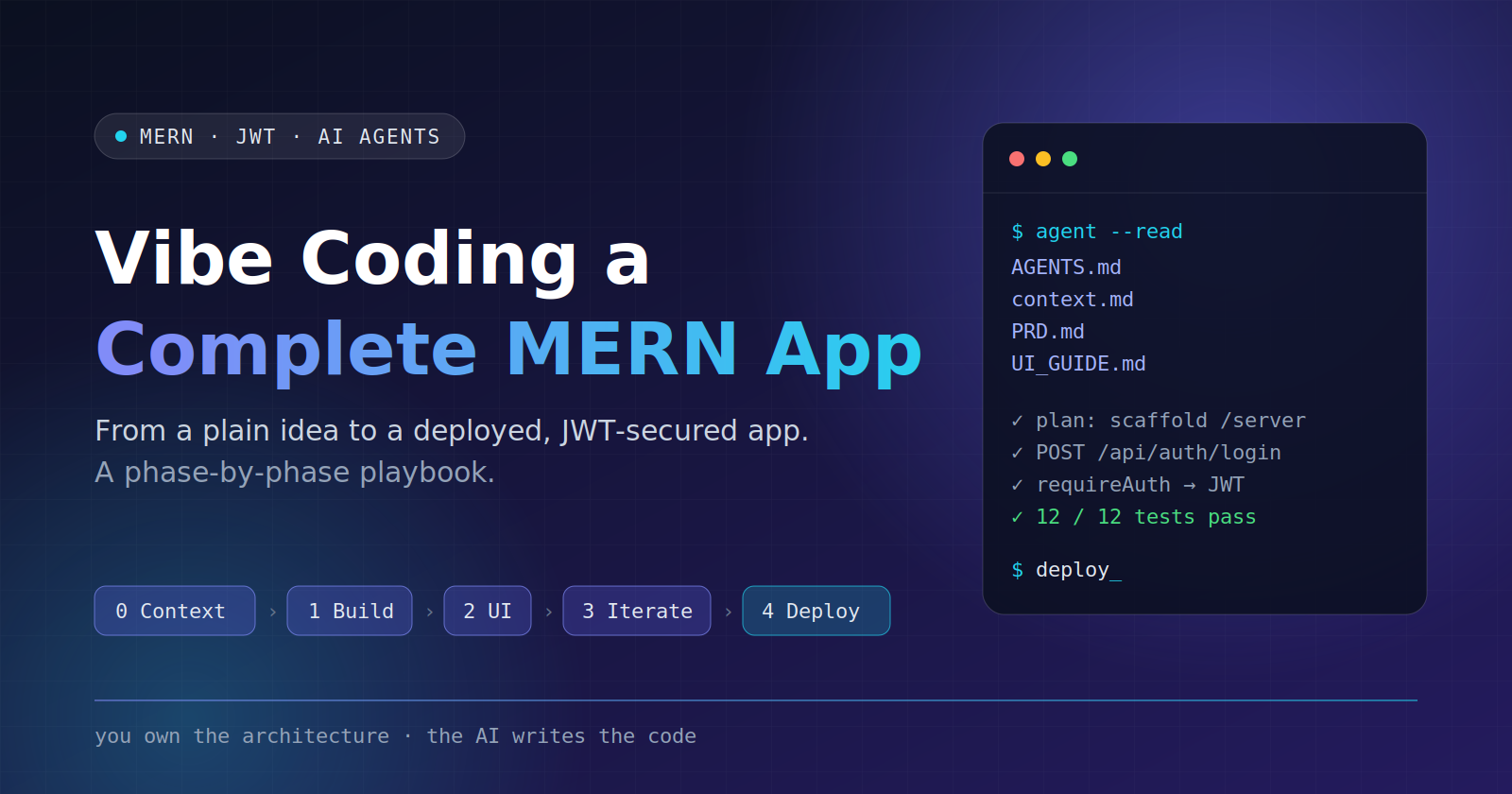
How to go from a one-paragraph idea to a deployed, JWT-secured MERN app with an AI coding agent, without letting the vibes turn into spaghetti.
Why vibe coding needs a process
Vibe coding means describing what you want in plain language and letting an AI agent write the code. It is fast. It is also how you end up with a 900-line App.jsx, three competing auth patterns, and a bug nobody can explain.
After years of shipping production software, my rule is simple:
The AI writes the code. You own the architecture, the constraints and the review.
Output quality is decided before the first line of code, by the context the agent receives. So the playbook front-loads context, then builds in small, reviewable steps:
| Phase | Goal | Output |
|---|---|---|
| 0. Context | Turn a plain idea into files the agent reads every session | context.md, PRD.md, AGENTS.md, UI_GUIDE.md |
| 1. Build | Backend and frontend foundations, one prompt at a time | Working API + app shell with JWT auth |
| 2. UI | Screen-by-screen prompts that follow the design system | Login, Register, Dashboard |
| 3. Iterate | Fix, polish, harden | Tested, safer app |
| 4. Deploy | Ship it | Atlas + Render + Vercel |
Everything here works with any agentic coding tool (Claude Code, Cursor, Copilot agent mode and so on). The prompts are tool-agnostic.
The example project: Taskly
A deliberately boring app, so the process is the star. Users register, log in and manage their own private to-do list.
- Auth: register, login, current-user endpoint, JWT bearer tokens, logout (client-side)
- Tasks: create, list, edit, toggle done, delete, always scoped to the logged-in user
- Stack: MongoDB + Mongoose, Express, React (Vite), Node 20, Tailwind CSS,
jsonwebtoken,bcryptjs,zod - Repo shape: monorepo with
/serverand/client
Phase 0: Initial project context (for the AI)
An agent with no context guesses, and guesses compound. Phase 0 replaces guessing with four short documents.
Step 1: Create the project folder
mkdir taskly && cd taskly
git init
mkdir docs
touch idea.md
Layout at the end of this phase:
taskly/
├── AGENTS.md        # rules the agent follows (root, so tools auto-detect it)
├── context.md       # the system prompt: what we build and with what
├── idea.md          # your raw idea, kept for history
└── docs/
    ├── PRD.md
    └── UI_GUIDE.md
Step 2: Write the plain idea
Put the raw idea in idea.md. Messy is fine; two or three sentences is enough:
Taskly is a minimal task manager. People sign up, log in, and manage their own
private to-do list. MERN stack, JWT auth, clean minimal UI. No teams, no sharing.
Step 3: Generate the four files, in order
Run these in a normal chat session or in your agent. Generate them in this order, because each file feeds the next. Paste the previous outputs into the next prompt, or let the agent read them from disk.
3a. context.md (the system prompt)
You are a senior full-stack engineer and technical writer.
Read idea.md. Write context.md: the system prompt an AI coding agent will read at
the start of every session. Include:

1. Product summary (one paragraph)
2. Tech stack with exact choices, plus what we are deliberately NOT using
3. Architecture: monorepo (/server, /client) and the request flow
4. Auth model: how JWTs are issued, stored, sent and verified
5. Data models: field names, types, indexes
6. Environment variables (names only, no values)
7. Non-goals for v1

Be specific and opinionated. No filler. Max 150 lines.
Where idea.md is silent, choose the simplest option and list it under 'Assumptions'.
A good result contains decisions, not adjectives. For example:
## Auth model
- POST /api/auth/login returns { token, user }. Token = JWT (HS256), payload { sub: userId }, expires in 7d.
- Client stores the token in localStorage and sends `Authorization: Bearer <token>`.
- Server middleware `requireAuth` verifies the token and sets `req.userId`.
- Passwords hashed with bcryptjs (cost 12). Never return passwordHash.
3b. PRD.md (Product Requirements Document)
Using idea.md and context.md, write docs/PRD.md for Taskly v1:

1. Goals and non-goals
2. User stories (As a user, I can...), each with an ID like US-1
3. Functional requirements, each mapped to a user story
4. API contract: a table of method, path, auth required, request body,
   success response, error responses
5. Acceptance criteria for every user story (checkbox list)
6. Edge cases: duplicate email, expired token, editing another user's task,
   empty list, network failure
7. Non-functional requirements: validation, security, basic performance

Keep it testable. If a requirement cannot be verified, rewrite it.
3c. AGENTS.md (agent rules)
Write AGENTS.md at the repo root: the rules an AI coding agent must follow here.
Sections:

1. Workflow: read context.md, docs/PRD.md and docs/UI_GUIDE.md before coding;
   propose a short plan; implement only the requested step; list changed files
   at the end; never touch unrelated code
2. Code style: ES modules, async/await, small functions, naming, no dead code
3. Backend rules: route -> controller -> model layering, zod validation on every
   input, central error handler, error shape { error: { message, code } }
4. Frontend rules: functional components and hooks, no business logic in JSX,
   API calls only through src/api, Tailwind tokens only
5. Security rules: never log secrets or passwords, no secrets in code, always
   scope task queries by req.userId, hash passwords, validate ObjectIds
6. Verification: how to run the app and what to check before declaring done
7. Ask-first rules: ask before adding dependencies, changing the schema or
   changing the API contract
8. Definition of done

Max 80 lines. Rules must be checkable in a diff, not aspirational.
3d. UI_GUIDE.md (UI design system)
Write docs/UI_GUIDE.md, the design system for Taskly (React + Tailwind CSS):

1. Design principles (5 max): minimal, calm, fast to scan, keyboard friendly,
   accessible
2. Design tokens as a ready-to-paste tailwind.config.js theme.extend: colors
   (primary, surface, border, text, danger, success), font family, radii,
   shadows, spacing rules
3. Component patterns: Button (primary, secondary, danger, loading), Input with
   label and error, Card, TaskItem, Toast, EmptyState, Spinner. For each: purpose,
   Tailwind classes, states
4. Layout: page shell, max widths, responsive breakpoints, spacing scale, navbar
5. Screen inventory: Login, Register, Dashboard, one line each
6. Accessibility checklist: focus rings, contrast, labels, aria-live for errors
A token excerpt from the result:
// tailwind.config.js (excerpt)
theme: { extend: {
  colors: {
    primary: { DEFAULT: '#4f46e5', hover: '#4338ca' },
    surface: '#ffffff', muted: '#f8fafc', border: '#e2e8f0',
    ink: { DEFAULT: '#0f172a', soft: '#64748b' },
    danger: '#dc2626', success: '#16a34a'
  },
  borderRadius: { card: '0.75rem' },
  fontFamily: { sans: ['Inter', 'system-ui', 'sans-serif'] }
}}
Step 4: The review gate
Don't skip this. Read all four files and fix what is wrong before any code exists; mistakes here are the cheapest you will ever fix.
- Do the stack choices match what you actually want?
- Does the API contract cover every user story?
- Are the
AGENTS.mdrules specific enough to check in a diff? - Does a token exist for every color you will use?
Then commit: git add . && git commit -m 'docs: project context'.
Phase 1: The step-by-step prompts (the vibe coding lifecycle)
Anatomy of a good prompt
Every build prompt has four parts: Context (which files to read), Task (one step), Constraints (what not to do) and Done when (something verifiable). One step per prompt, and commit after each green step. If the diff is too big to review, the step was too big.
Prompt 1: Project scaffolding and backend init
Read AGENTS.md, context.md and docs/PRD.md first. Summarize the architecture
back to me in 5 bullets before writing any code.

Task: scaffold the monorepo and initialize the backend only.
- Create /server and /client at the repo root. Leave /client empty for now.
- In /server: npm init, ES modules (type: module), Node 20.
- Folder structure: src/{config,models,routes,controllers,middleware,utils},
  src/app.js (express app), src/server.js (connect DB, then listen)
- Install: express, mongoose, dotenv, cors, helmet, jsonwebtoken, bcryptjs,
  zod, morgan. Dev: nodemon.
- Scripts: dev (nodemon src/server.js), start (node src/server.js)
- Add .env.example (names only) and a root .gitignore (node_modules, .env, dist)
- Add GET /api/health returning { status: 'ok' } and a central error handler

Constraints: no auth or models yet. Do not add other dependencies.
Done when: npm run dev connects to MongoDB and /api/health returns 200.
What to review: the dependency list matches, no surprise extras, the folder structure matches context.md, and .env is ignored.
Prompt 2: User model and JWT auth
Read AGENTS.md and the auth sections of context.md and docs/PRD.md.

Task: implement authentication on the backend.
- User model: email (unique, lowercase, trimmed), passwordHash, createdAt.
  Never return passwordHash.
- zod schemas: register (email, password min 8 chars), login
- Endpoints: POST /api/auth/register, POST /api/auth/login, GET /api/auth/me
- Sign the JWT with JWT_SECRET, payload { sub: userId }, expiry from JWT_EXPIRES_IN
- Middleware requireAuth: read the Authorization Bearer header, verify, set
  req.userId, answer 401 in the standard error shape on failure
- Use one generic message for bad credentials (do not reveal whether the
  email exists)
- Hash with bcryptjs, cost 12

Constraints: follow route -> controller layering. No refresh tokens.
Done when: I can register, log in and call /me with the token using curl.
Show me the curl commands you used.
Prompt 3: Task model and CRUD
Task: implement the Task resource.
- Task model: user (ObjectId ref, indexed), title (required, max 120),
  notes (optional, max 1000), done (boolean, default false), timestamps
- Endpoints, all behind requireAuth: GET /api/tasks, POST /api/tasks,
  PATCH /api/tasks/:id, DELETE /api/tasks/:id
- Every query must filter by req.userId. A task owned by someone else
  returns 404, not 403.
- Validate :id as an ObjectId and validate bodies with zod

Done when: two different users cannot see or modify each other's tasks.
Prove it with curl.
Prompt 4: Verify before moving on
Review the backend against docs/PRD.md. List every acceptance criterion and
mark it pass or fail with evidence.
Then add a small Supertest suite covering: register, duplicate email, login
failure, /me without a token, and cross-user task access.
Fix anything that fails. Do not change the API contract without asking.
Prompt 5: Frontend scaffold
Read docs/UI_GUIDE.md and AGENTS.md.
Task: scaffold /client with Vite + React. Install react-router-dom and Tailwind CSS.
- Paste the design tokens from UI_GUIDE.md into tailwind.config.js and set up
  base styles and the font
- Structure: src/{api,components,context,pages,hooks}
- src/api/client.js: a fetch wrapper that uses import.meta.env.VITE_API_URL,
  attaches the Bearer token and throws normalized errors
- Routes: /login, /register, / (dashboard placeholder). Stub pages are fine.
- Add .env.example with VITE_API_URL=http://localhost:5000/api
Done when: the app runs and navigating between the three routes works.
Prompt 6: Auth context and protected routes
Task: implement client-side auth.
- AuthContext exposing user, token, login(), register(), logout(), loading
- Persist the token in localStorage; on load, call /auth/me to restore the session
- ProtectedRoute redirects to /login when unauthenticated; PublicOnlyRoute
  redirects logged-in users to /
- If any API call returns 401, clear the session and redirect to /login
Constraints: no UI polish yet, unstyled is fine. No fetch calls outside src/api.
Commit after every prompt. Your git history becomes the undo button for the whole process.
A note on the JWT storage choice
Storing the token in localStorage keeps this example minimal, but it is readable by any script running on your page, so an XSS bug leaks sessions. The more robust pattern is a short-lived access token plus an httpOnly, Secure, SameSite cookie for a refresh token. For a learning project the simple approach is fine; for real users, plan the upgrade. Writing this trade-off into context.md is better than letting the agent decide silently.
Phase 2: Screen-by-screen UI prompts
Each prompt names one screen and points at the design system, so the agent cannot invent a new style.
Prompt 7: Shared components
Read docs/UI_GUIDE.md. Build the shared components in src/components/ui:
Button (variants and loading state), Input (label, error, helper text), Card,
Spinner, Toast (provider + useToast hook), EmptyState. Use only tokens from the
Tailwind config. Add a temporary /kitchen-sink route that shows every variant
and state. I will tell you when to remove it.
Prompt 8: Login screen
Build the Login page per UI_GUIDE.md.
- Centered Card, max width 24rem, product name above the form
- Fields: email, password (with show/hide toggle)
- Client validation mirroring the server rules; inline field errors; the
  server error appears in an aria-live region
- Submit button shows a loading state and is disabled while pending
- Link to /register. Enter submits. Autofocus the email field.
- On success, go to /
Prompt 9: Register screen
Build the Register page using the same pattern as Login, plus a confirm-password
field. Reuse components; do not duplicate markup. If both pages repeat layout,
extract a shared AuthLayout.
Prompt 10: Dashboard
Build the Dashboard page.
- Navbar: app name on the left; user email and a Logout button on the right
- Add-task form on top (title input and Add button); Enter submits
- Task list below: TaskItem with checkbox, title, edit and delete icon buttons
- Completed tasks are struck through and muted
- Loading skeleton while fetching, EmptyState when there are no tasks, an
  error banner with Retry on failure
- Mobile first: single column, 44px minimum touch targets
Use optimistic updates for toggling done; roll back and show a toast on failure.
Prompt 11: Edit and delete
Add inline editing to TaskItem: clicking edit turns the title into an input;
Enter saves, Escape cancels. Delete asks for confirmation in an accessible
dialog (focus trapped, Escape closes). Success and error feedback via toast.
After each screen: run it, resize the window, tab through it with the keyboard and compare it to UI_GUIDE.md. Screenshots are a superpower here; paste one into the agent and say what is off.
Phase 3: Iterations
Real projects are mostly iteration. These are typical rounds on Taskly and the prompts that handle them.
Bug fix: give evidence, not adjectives.
Bug: after the token expires, the dashboard shows an empty list instead of
sending me to /login.
Expected: any 401 clears the session and redirects to /login with a toast
'Session expired'.
Actual: the list silently stays empty. The console shows 401 on GET /api/tasks.
Find the root cause first and explain it, then propose the smallest fix.
Do not refactor unrelated code.
Feature: update the spec first.
Add All / Active / Done filter tabs to the dashboard. Filter on the client, keep
the choice in the URL query string, show counts on each tab. First add a user
story and acceptance criteria to docs/PRD.md, then implement.
Security review: separate finding from fixing.
Act as a security reviewer. Audit the repo against the OWASP Top 10, focusing
on auth. Check: JWT secret strength and expiry, password rules, rate limiting
on /api/auth, CORS origins, helmet, error messages that leak internals, NoSQL
injection through request bodies, logging of sensitive data. Output a table:
severity, file and line, fix. Do not change code yet.
Then: Apply only the High and Medium fixes, one commit-sized change at a time. Typical additions are express-rate-limit on auth routes and stricter body parsing.
Refactor: behavior must not change.
The Dashboard component is over 200 lines. Extract a useTasks hook (fetching,
mutations, optimistic state) and a TaskList component. Behavior must not change.
Run the tests and tell me what to verify manually.
Rules of thumb for iterating
- One change per prompt, and commit before every prompt so you can reset.
- If the agent fails on the same error twice, stop. Start a fresh session, give it the context files and a minimal repro.
- Update the docs when a decision changes; otherwise the agent will quietly revert your new decision to the old one.
- If you cannot explain a piece of generated code, ask the agent to explain it before you ship it.
Phase 4: Deployment, step by step
Target: MongoDB Atlas (database), Render (Express API) and Vercel (React client). All have free tiers at the time of writing, but plans and dashboard labels change, so check each provider's docs as you go.
Step 1: Production-readiness prompt
Prepare the repo for production deployment.
- The server reads PORT, MONGODB_URI, JWT_SECRET, JWT_EXPIRES_IN, CLIENT_URL
  and NODE_ENV from env only; fail fast on startup if a required one is missing
- CORS allows only CLIENT_URL
- app.set('trust proxy', 1) so rate limiting sees real client IPs behind the
  host's proxy
- The start script runs node, not nodemon
- Add client/vercel.json with a rewrite so deep links such as /login serve index.html
- Update both .env.example files and add a 'Deploy' section to the README
Do not change application behavior.
Step 2: Push to GitHub
git add . && git commit -m 'chore: production readiness'
git branch -M main
git remote add origin git@github.com:YOUR_USER/taskly.git
git push -u origin main
Confirm no secrets were committed: git ls-files | grep .env should list only the two .env.example files.
Step 3: Database on Atlas
- Create a free cluster.
- Database Access: add a database user with a long generated password.
- Network Access: allow the API host to connect. Free-tier hosts usually have no fixed outbound IPs, so many guides allow
0.0.0.0/0. That is convenient rather than ideal; pair it with a strong password and a least-privilege user, and tighten it if you later get static IPs. - Connect → Drivers: copy the connection string, insert your password (URL-encode special characters) and add a database name:
mongodb+srv://USER:PASS@cluster0.xxxxx.mongodb.net/taskly?retryWrites=true&w=majority
Step 4: API on Render
- New → Web Service → connect the GitHub repo.
- Root Directory
server, Build Commandnpm install, Start Commandnpm start. - Add environment variables:
| Key | Value |
|---|---|
NODE_ENV |
production |
MONGODB_URI |
your Atlas connection string |
JWT_SECRET |
output of openssl rand -hex 48 |
JWT_EXPIRES_IN |
7d |
CLIENT_URL |
temporary placeholder; set it after the Vercel deploy |
- Deploy, then open
https://YOUR-API.onrender.com/api/health. You should see{ status: 'ok' }.
Free instances sleep when idle, so the first request after a pause is slow. That is expected.
Step 5: Client on Vercel
- Add New → Project → import the same repo.
- Root Directory
client, framework preset Vite (buildnpm run build, outputdist). - Environment variable
VITE_API_URL=https://YOUR-API.onrender.com/api. Vite inlines it at build time, so changing it later requires a redeploy. - Deploy and note the URL.
Step 6: Connect the two
Back in Render, set CLIENT_URL to the exact Vercel origin (https, no trailing slash) and redeploy. A mismatch here is the most common cause of CORS errors.
Step 7: Production smoke test
- Register a new account
- Log out, then log in
- Add, edit, complete and delete a task
- Refresh on
/: still logged in - Open
/logindirectly: no 404 - A second account cannot see the first account's tasks
- Removing the token in dev tools sends you to
/login
Troubleshooting
| Symptom | Likely cause | Fix |
|---|---|---|
| CORS error in the browser | CLIENT_URL does not match the origin |
Set the exact origin, redeploy the API |
| Requests go to localhost | VITE_API_URL missing at build time |
Set it and redeploy the client |
| 404 on page refresh | Missing SPA rewrite | Add client/vercel.json rewrite |
| API crashes on boot with a server-selection error | Atlas network rules or bad URI | Check the allowlist and the URL-encoded password |
| Always 401 after redeploy | JWT_SECRET changed |
Log in again; clear localStorage |
| First request very slow | Free instance was asleep | Expected; upgrade or accept it |
Sensible next steps: httpOnly refresh-token cookie, CI that runs the test suite, and error monitoring.
The cheat sheet
- Context before code. Four short files beat one clever prompt.
- Make the agent restate the plan before it writes anything.
- One step per prompt, with a verifiable done when.
- Commit after every green step; reset instead of patching a mess.
- Specs change first, code second, so the docs stay true.
- Review every diff. You are the senior engineer in this pairing.
- Separate finding problems from fixing them (reviews, audits).
- Security is a prompt too: ask for it explicitly, then verify it.
Vibe coding is not about typing less thinking. It is about moving your thinking to where it pays off most: requirements, constraints and review. Let the agent type; you keep the judgment.
Comments
Join the discussionNo comments yet. Be the first to comment.