PostgreSQL String Manipulation & Pattern Matching: A Practitioner's Cheat Sheet
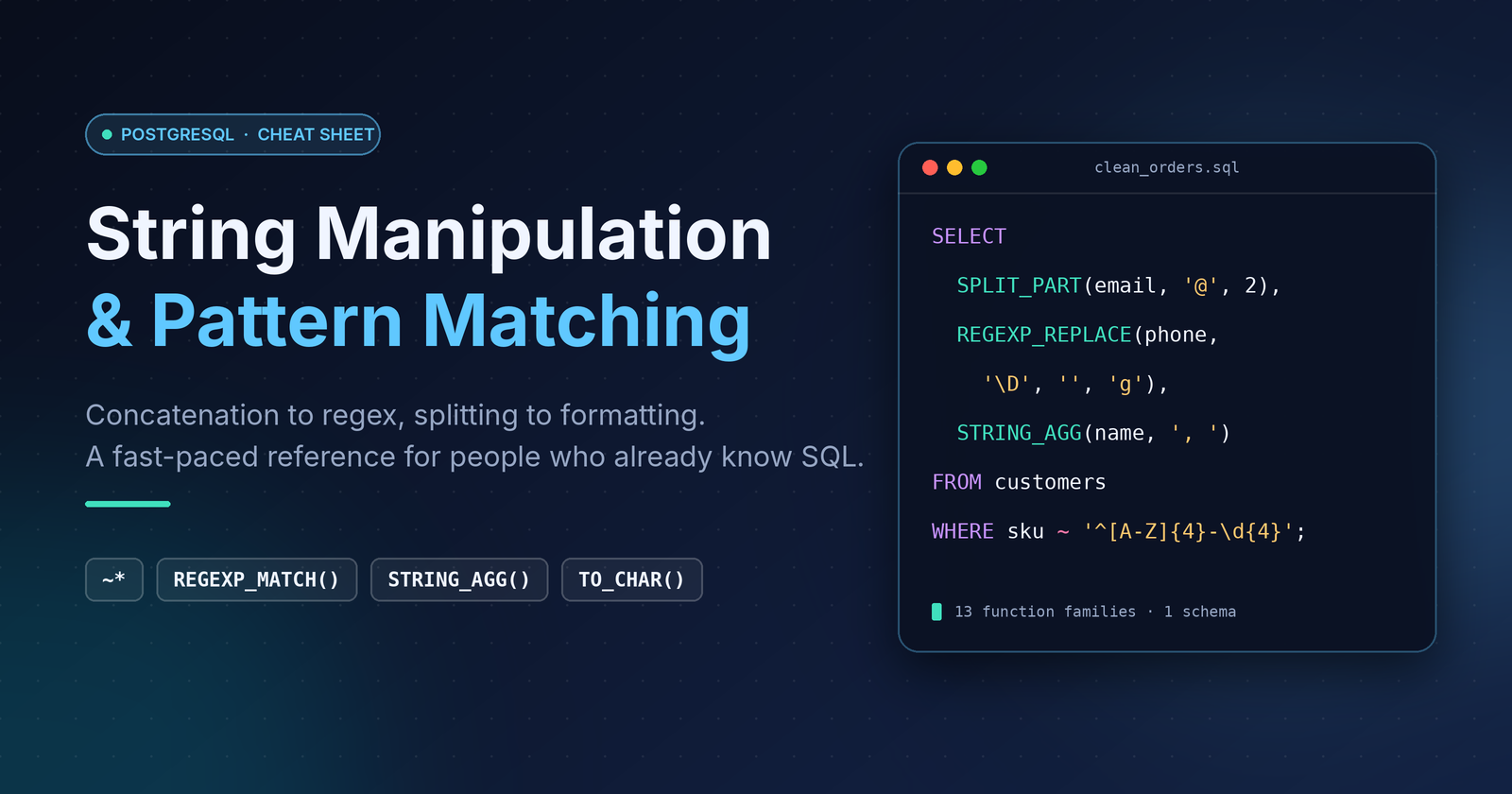
You already know SELECT. This is the string toolbox I reach for daily when cleaning, parsing and reshaping text in Postgres, with the gotchas that actually bite in production. One schema, one dataset, no fluff.
The Dataset
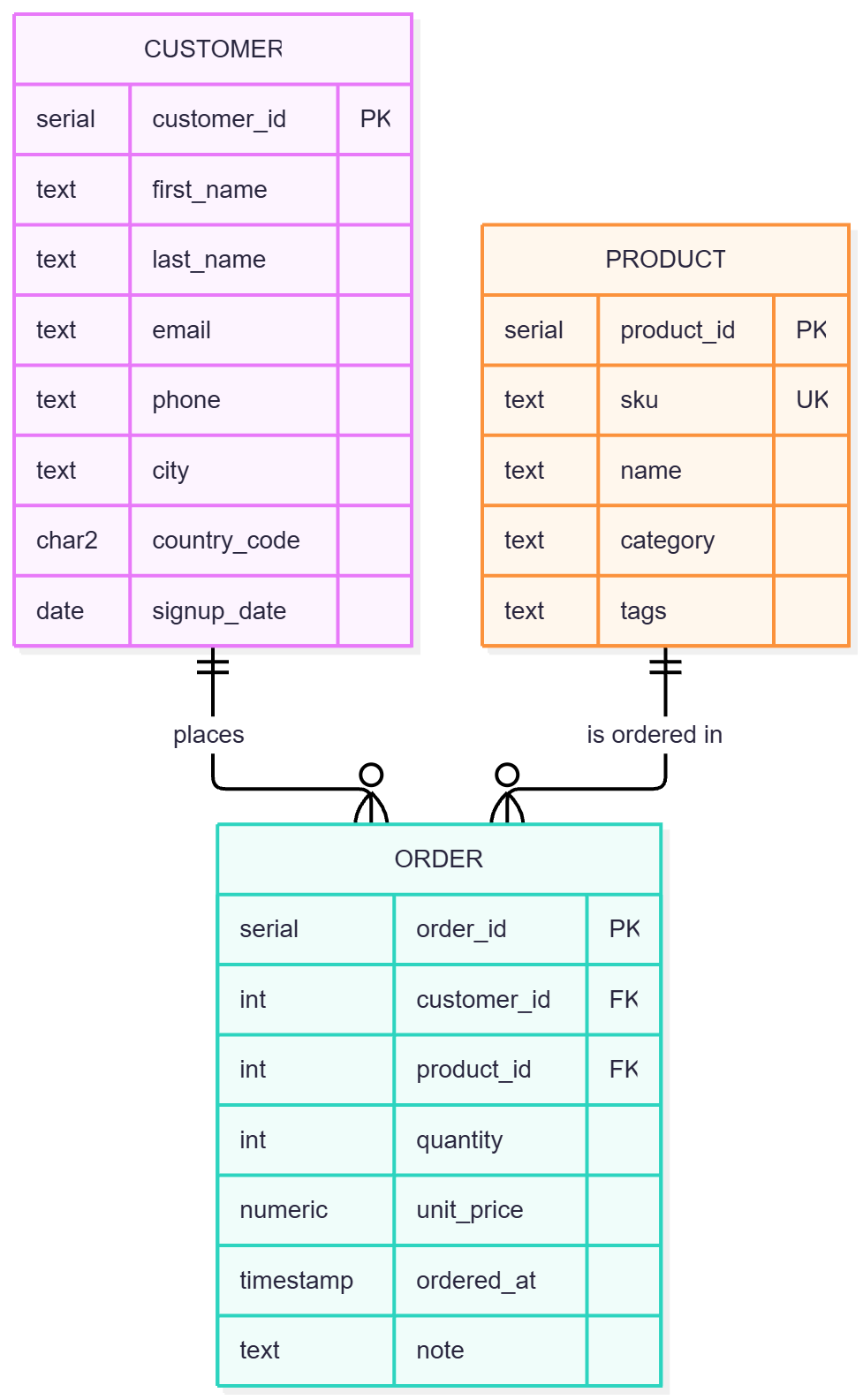
Three tables, intentionally messy data (stray whitespace, mixed case, inconsistent phone formats, free-text notes). I've also created the ER diagram using mermaid.live. here is the code
erDiagram
    CUSTOMERS ||--o{ ORDERS : places
    PRODUCTS  ||--o{ ORDERS : "is ordered in"

    CUSTOMERS {
        serial customer_id PK
        text first_name
        text last_name
        text email
        text phone
        text city
        char2 country_code
        date signup_date
    }

    PRODUCTS {
        serial product_id PK
        text sku UK
        text name
        text category
        text tags
    }

    ORDERS {
        serial order_id PK
        int customer_id FK
        int product_id FK
        int quantity
        numeric unit_price
        timestamp ordered_at
        text note
    }
it renders like this
the DDL commands are here
CREATE SCHEMA shop;
SET search_path TO shop;

CREATE TABLE customers (
    customer_id  SERIAL PRIMARY KEY,
    first_name   TEXT,
    last_name    TEXT,
    email        TEXT,
    phone        TEXT,
    city         TEXT,
    country_code CHAR(2),
    signup_date  DATE
);

CREATE TABLE products (
    product_id SERIAL PRIMARY KEY,
    sku        TEXT NOT NULL UNIQUE,   -- CATG-0000-CLR
    name       TEXT NOT NULL,
    category   TEXT,
    tags       TEXT                    -- comma-separated
);

CREATE TABLE orders (
    order_id    SERIAL PRIMARY KEY,
    customer_id INT NOT NULL REFERENCES customers(customer_id),
    product_id  INT NOT NULL REFERENCES products(product_id),
    quantity    INT NOT NULL,
    unit_price  NUMERIC(10,2) NOT NULL,
    ordered_at  TIMESTAMP NOT NULL,
    note        TEXT                   -- free text: promo codes, refs
);
Let's insert some data
INSERT INTO customers (first_name, last_name, email, phone, city, country_code, signup_date) VALUES
('  alice',  'JOHNSON ', 'Alice.Johnson@Example.com', '+1 (415) 555-0132',  'san francisco', 'US', '2024-01-15'),
('bob',      'smith',    'bob_smith@mail.co.uk',      '+44 20 7946 0958',    'london',        'GB', '2024-02-03'),
('CARLA',    'gomez',    'carla.gomez@example.org',   '+34 91 123 45 67',    'madrid',        'ES', '2024-03-21'),
('dev',      'patel ',   'dev.patel@Example.com',     '+91-98765-43210',     'mumbai',        'IN', '2024-04-09'),
('Emma',     'Müller',   'emma.mueller@web.de',       '+49 30 901820',       'berlin',        'DE', '2024-05-30'),
('farhan',   'rahman',   'farhan.r@example.com',      '+880 1712-345678',    'dhaka',         'BD', '2024-06-12');

INSERT INTO products (sku, name, category, tags) VALUES
('ELEC-0001-BLK', 'Wireless Mouse',       'electronics', 'wireless,usb,ergonomic'),
('ELEC-0002-WHT', 'Mechanical Keyboard',  'electronics', 'mechanical,rgb,usb'),
('HOME-0010-GRY', 'Desk Lamp',            'home',        'led,dimmable'),
('BOOK-0100-NA',  'PostgreSQL Internals', 'books',       'database,postgres,advanced'),
('HOME-0011-BLU', 'Standing Desk Mat',    'home',        'ergonomic,anti-fatigue');

INSERT INTO orders (customer_id, product_id, quantity, unit_price, ordered_at, note) VALUES
(1, 1, 2, 24.99, '2025-01-05 09:15', 'Promo: SAVE10; Ref #A-1042'),
(2, 4, 1, 59.00, '2025-01-18 14:40', 'Gift wrap please. Ref #B-2210'),
(3, 2, 1, 89.50, '2025-02-02 18:05', 'Promo: WELCOME5; Ref #A-1077'),
(1, 3, 3, 19.90, '2025-02-14 11:30', NULL),
(4, 4, 2, 59.00, '2025-03-01 08:00', 'Promo: SAVE10; Ref #C-3001; call before delivery'),
(5, 5, 1, 34.25, '2025-03-09 20:45', 'Ref #B-2299'),
(6, 2, 1, 89.50, '2025-03-22 13:10', 'Promo: SAVE20; Ref #A-1120');
1. Concatenation: CONCAT(), CONCAT_WS()
|| returns NULL if any operand is NULL. CONCAT treats NULL as an empty string, and CONCAT_WS skips NULLs entirely, so no dangling separators.
SELECT
    first_name || ' ' || last_name           AS with_pipes,   -- NULL-poisoned
    CONCAT(first_name, ' ', last_name)       AS with_concat,
    CONCAT_WS(' ', first_name, last_name)    AS with_ws
FROM customers;
Gotcha:
CONCATisSTABLE, notIMMUTABLE, so it can't be used directly in an expression index. Use||withCOALESCE, or wrap it in your own immutable function.
2. Case Conversion: UPPER(), LOWER(), INITCAP()
SELECT
    UPPER(country_code)                      AS cc,
    LOWER(email)                             AS email_norm,
    INITCAP(LOWER(city))                     AS city_title
FROM customers;
Gotcha:
INITCAPtreats every non-alphanumeric character as a word boundary:INITCAP('don''t')givesDon'T. AlwaysLOWER()first, and never trust it for names likeMcDonald. For case-insensitive lookups, prefer an index onLOWER(email)(or thecitextextension) over wrapping every query inUPPER().
3. Trimming: TRIM(), LTRIM(), RTRIM()
SELECT
    TRIM(first_name)                         AS both_sides,
    LTRIM('0007', '0')                       AS no_leading_zeros,   -- 7
    RTRIM('report...', '.')                  AS no_trailing_dots,   -- report
    TRIM(BOTH ' ,;' FROM ' ,;value; ')       AS multi_char          -- value
FROM customers;
Gotcha: the second argument is a set of characters, not a substring. And by default only the space character is trimmed, not tabs or newlines. For those, use
BTRIM(col, E' \t\r\n')orREGEXP_REPLACE.
4. Substrings: SUBSTRING(), LEFT(), RIGHT()
SELECT
    sku,
    LEFT(sku, 4)                             AS category_code,    -- ELEC
    RIGHT(sku, 3)                            AS colour,           -- BLK
    SUBSTRING(sku FROM 6 FOR 4)              AS item_no,          -- 0001
    SUBSTRING(sku FROM '\d{4}')              AS item_no_regex,    -- regex form
    LEFT(sku, -4)                            AS all_but_last_4    -- negative n
FROM products;
SUBSTRING(str FROM pattern)returns the first capture group if there is one, otherwise the whole match. NegativeninLEFT/RIGHTmeans "everything except n characters".
5. Replacement: REPLACE(), TRANSLATE()
REPLACE swaps substrings. TRANSLATE swaps characters one-to-one, and deletes any from characters that have no counterpart in to.
SELECT
    REPLACE(phone, ' ', '')                  AS no_spaces,
    TRANSLATE(phone, '+()- ', '')            AS digits_only,      -- deletes all 5 chars
    TRANSLATE(LOWER(last_name), 'üöä', 'uoa') AS ascii_ish         -- müller -> muller
FROM customers;
TRANSLATEis the fastest way to strip or map a known character set, and it's much cheaper than a regex.
6. Position: POSITION(), STRPOS()
Same result, different syntax. POSITION(sub IN str) is SQL standard, STRPOS(str, sub) is the Postgres flavour. Both are 1-based and return 0 when not found.
SELECT
    email,
    POSITION('@' IN email)                   AS at_pos,
    STRPOS(email, '@')                       AS at_pos_2,
    SUBSTRING(email FROM STRPOS(email, '@') + 1) AS domain
FROM customers;
7. Padding: LPAD(), RPAD()
SELECT
    'ORD-' || LPAD(order_id::TEXT, 6, '0')   AS order_ref,        -- ORD-000001
    RPAD(note, 12, '.')                      AS fixed_width,
    LPAD('1234567', 4, '0')                  AS truncated         -- 1234
FROM orders;
Gotcha: if the input is longer than the target length, padding functions truncate it. Silent data loss if you pad IDs that outgrow your width.
8. Splitting: SPLIT_PART(), STRING_TO_ARRAY()
-- SPLIT_PART: 1-based, returns '' (not NULL) when the part doesn't exist
SELECT
    SPLIT_PART(email, '@', 2)                AS domain,
    SPLIT_PART(sku, '-', 1)                  AS category_code,
    SPLIT_PART(email, '@', -1)               AS last_part         -- negative index: PG 14+
FROM customers, products
LIMIT 3;

-- STRING_TO_ARRAY: the real power move for denormalised data
SELECT name, tag
FROM products, UNNEST(STRING_TO_ARRAY(tags, ',')) AS tag;

-- Filtering on array membership
SELECT name
FROM products
WHERE 'usb' = ANY(STRING_TO_ARRAY(tags, ','));
STRING_TO_ARRAY(str, NULL)splits into individual characters, and its optional third argument turns a given token intoNULL.
9. Aggregation: STRING_AGG()
SELECT
    CONCAT_WS(' ', INITCAP(TRIM(c.first_name)), INITCAP(TRIM(c.last_name))) AS customer,
    STRING_AGG(DISTINCT p.name, ', ' ORDER BY p.name)                      AS products_bought
FROM customers c
JOIN orders o   USING (customer_id)
JOIN products p USING (product_id)
GROUP BY c.customer_id;
The
ORDER BYgoes inside the aggregate. WithDISTINCT, theORDER BYexpression must match the aggregated expression.NULLinputs are skipped.
10. Regex Matching: ~, ~*, !~, !~*
| Operator | Meaning |
|---|---|
~ |
matches, case-sensitive |
~* |
matches, case-insensitive |
!~ |
doesn't match, case-sensitive |
!~* |
doesn't match, case-insensitive |
-- Valid SKUs
SELECT sku FROM products WHERE sku ~ '^[A-Z]{4}-\d{4}-[A-Z]{2,3}$';

-- Case-insensitive domain check
SELECT email FROM customers WHERE email ~* '@example\.(com|org)$';

-- Find suspicious emails
SELECT email FROM customers WHERE email !~* '^[a-z0-9._%+-]+@[a-z0-9.-]+\.[a-z]{2,}$';
POSIX regex can't use a B-tree index. For
%foo%-style or regex search at scale, add apg_trgmGIN index:CREATE INDEX ON customers USING gin (email gin_trgm_ops);
11. Regex Replacement: REGEXP_REPLACE()
Flags: g = replace all (default is first match only), i = case-insensitive.
SELECT
    REGEXP_REPLACE(phone, '[^\d+]', '', 'g')                    AS phone_e164ish,
    REGEXP_REPLACE(email, '^(.).*(@.*)$', '\1***\2')            AS masked_email,
    REGEXP_REPLACE(note,  '\s+', ' ', 'g')                      AS collapsed_ws
FROM customers
JOIN orders USING (customer_id);
Backreferences are
\1,\2, and so on. Forgetting the'g'flag is the #1REGEXP_REPLACEbug.
12. Regex Extraction: REGEXP_MATCH(), REGEXP_MATCHES()
REGEXP_MATCH(PG 10+) returns atext[]for the first match, orNULL.REGEXP_MATCHESis a set-returning function. With thegflag it returns one row per match.
-- First match: index into the array
SELECT
    order_id,
    (REGEXP_MATCH(note, 'Promo: (\w+)'))[1]       AS promo_code,
    (REGEXP_MATCH(note, 'Ref #([A-Z]-\d+)'))[1]   AS ref
FROM orders;

-- All matches, kept NULL-safe with LATERAL
SELECT o.order_id, m[1] AS token
FROM orders o
LEFT JOIN LATERAL REGEXP_MATCHES(o.note, '([A-Z]-\d+)', 'g') AS m ON TRUE;
Gotcha:
REGEXP_MATCHESin theSELECTlist drops rows with zero matches. UseLEFT JOIN LATERAL ... ON TRUEto keep them. On PG 15+, also look atREGEXP_COUNT,REGEXP_LIKE,REGEXP_INSTRandREGEXP_SUBSTR.
13. Formatting: TO_CHAR()
SELECT
    TO_CHAR(ordered_at, 'YYYY-MM-DD HH24:MI')          AS ts,
    TO_CHAR(ordered_at, 'Dy, DD Mon YYYY')             AS pretty_date,
    TO_CHAR(quantity * unit_price, 'FM$999,990.00')    AS total,
    TO_CHAR(order_id, 'FM000000')                      AS padded_id
FROM orders;
FM(fill mode) strips the padding spaces and leading zeros Postgres adds by default. Use9for optional digits and0for forced digits.
Putting It All Together
One query, ten functions: a clean, report-ready order view built from messy source data.
SELECT
    'ORD-' || LPAD(o.order_id::TEXT, 6, '0')                          AS order_ref,
    TO_CHAR(o.ordered_at, 'DD Mon YYYY')                              AS order_date,
    CONCAT_WS(' ', INITCAP(LOWER(TRIM(c.first_name))),
                   INITCAP(LOWER(TRIM(c.last_name))))                 AS customer,
    SPLIT_PART(LOWER(c.email), '@', 2)                                AS email_domain,
    REGEXP_REPLACE(c.phone, '[^\d+]', '', 'g')                        AS phone,
    UPPER(LEFT(p.sku, 4))                                             AS category,
    COALESCE((REGEXP_MATCH(o.note, 'Promo: (\w+)'))[1], 'none')       AS promo,
    (REGEXP_MATCH(o.note, 'Ref #([A-Z]-\d+)'))[1]                     AS support_ref,
    TO_CHAR(o.quantity * o.unit_price, 'FM$999,990.00')               AS total
FROM orders o
JOIN customers c USING (customer_id)
JOIN products  p USING (product_id)
ORDER BY o.order_id;
Quick Reference
| Need | Reach for |
|---|---|
| NULL-safe join of text | CONCAT_WS |
| Strip a known char set | TRANSLATE (faster than regex) |
| Fixed-position parse | LEFT / RIGHT / SUBSTRING ... FROM ... FOR |
| Delimited parse | SPLIT_PART, STRING_TO_ARRAY + UNNEST |
| Validate a format | ~ / ~* |
| Clean or restructure | REGEXP_REPLACE(..., 'g') |
| Pull values from free text | REGEXP_MATCH (first) / REGEXP_MATCHES(..., 'g') (all) |
| Roll rows into a string | STRING_AGG(... ORDER BY ...) |
| Display formatting | TO_CHAR with FM |
Rule of thumb: use plain string functions when you can, and regex when you must. They're simpler, easier to read, and often faster. And if you find yourself parsing the same column in every query, that's a schema problem, not a SQL problem.
Comments
Join the discussionNo comments yet. Be the first to comment.